
How to Set Up Weld Documentation Without an Enterprise System
There are two options most fabrication shops know about when it comes to weld documentation software.
Option one: enterprise platforms. AVEVA, Meridian, full EPCM suites. These do everything — weld tracking, material traceability, document control, inspection management, reporting. They also cost what a mid-size fabrication shop bills in a quarter, require an IT team to configure, and take months to get running on a new project. For a tier-1 EPC contractor with a dedicated document control department, the math works. For a shop with 20–50 employees running 3–4 projects a year, it does not.
Option two: Excel. Free. Flexible. Already installed on every computer. Breaks under project pressure, requires constant manual maintenance, and produces a documentation package at project close that the QC manager spends two weeks reconstructing.
This gap — between enterprise overkill and spreadsheet under-delivery — is where most small and mid-size fabrication shops actually operate.
What weld documentation needs to accomplish
Before looking at tools, be precise about what the documentation is for.
Weld documentation serves two purposes:
During the project: Real-time visibility into fabrication progress. Which spools are complete? Which welds are pending inspection? What is the NDT coverage status? These are live questions that need live answers — not answers assembled from a spreadsheet last updated Thursday.
At project close: A handover package that demonstrates the work was done to the required standard. Complete weld traceability: every weld traceable to a welder, a procedure, and an inspection record. Every NDT examination logged with results. Every repair documented from failure through retest.
A documentation system that handles the "during" part well makes the "at close" part easy. A system that only handles "at close" means someone is doing manual reconstruction — which is what most shops are doing.
The enterprise platform problem
Enterprise weld documentation platforms are purpose-built for large-scale fabrication and construction projects. On a refinery turnaround with 30,000 welds, a dedicated document control team, and a multi-year timeline, the overhead of an enterprise platform amortizes well.
On a project with 300 welds, a QC team of two, and an 8-week fabrication schedule, it does not.
| Factor | Typical enterprise platform | Impact on small shops |
|---|---|---|
| Setup time | Weeks to months | Eats 20–30% of a short schedule |
| IT dependency | Hosted servers, managed credentials | No in-house resource to maintain |
| Cost | Enterprise licensing + implementation | Calibrated to tier-1 budgets |
| Learning curve | Multi-module configuration | QC team cannot self-serve |
The result: most small and mid-size fabrication shops do not use enterprise software. They use Excel, and they live with its limitations. See why the Excel weld register breaks on real projects.
What a lightweight documentation system looks like
The alternative to enterprise overhead is not going back to spreadsheets. It is a purpose-built tool that handles weld documentation specifically — without the IT, configuration time, or cost structure of an enterprise platform.
For weld documentation, that means a system that:
Runs without server infrastructure. If it requires an IT team to set up, it is already too heavy. The documentation tool should work on any computer with a browser, without network dependencies. See offline weld tracking.
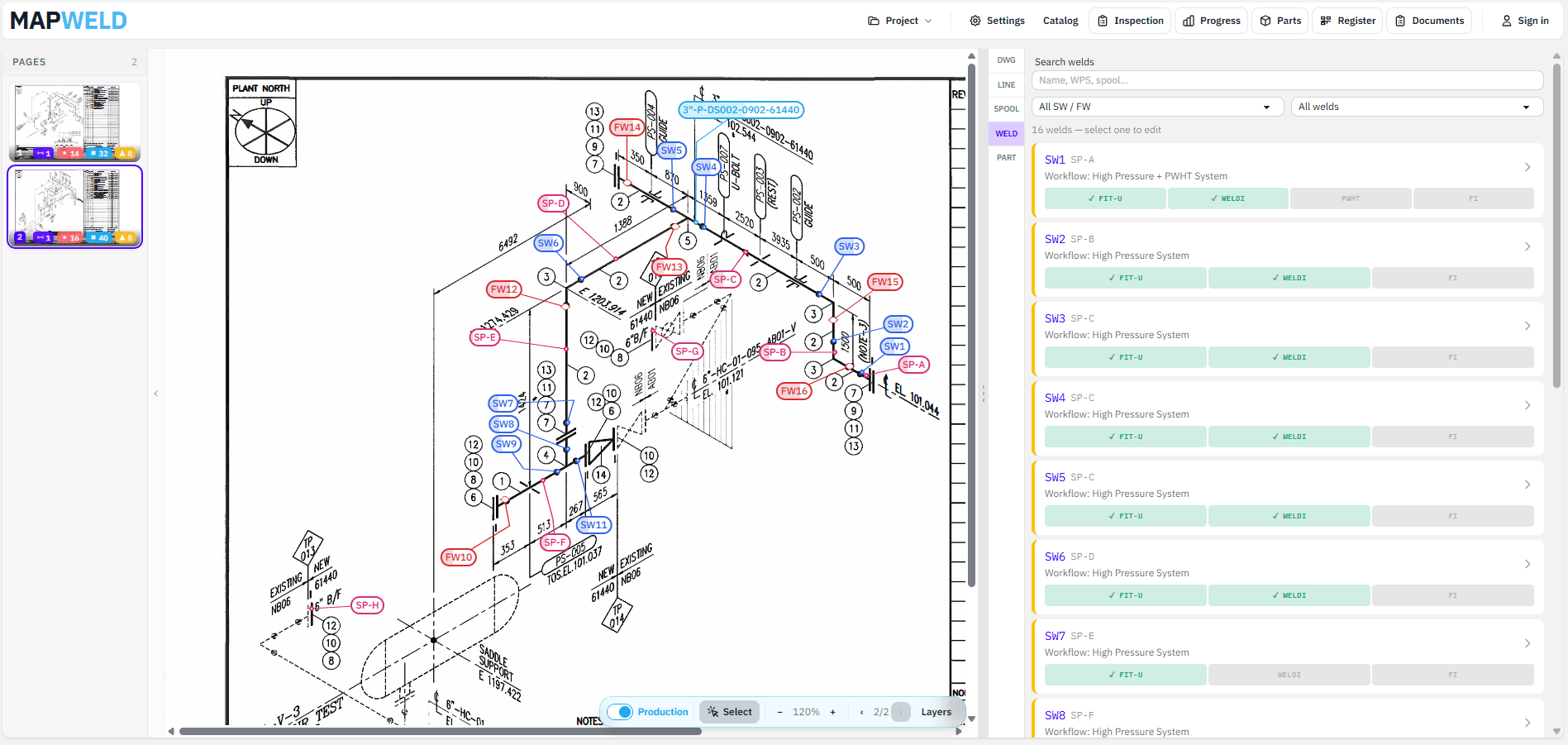
Starts from the isometric. The drawing is already the reference document for every weld on the project. Documentation organized around the drawing — rather than a flat table — is easier to maintain and easier to audit.
Captures data at the source. The QC inspector should not need to carry paper and then re-enter it later. The tool needs to be usable on the floor, during the inspection, not at a desk after the fact.
Produces the handover package automatically. At project close, the documentation package should come out of the system, not be assembled by hand.
Costs nothing (or close to it) to get started. The first test of whether a tool fits your project is trying it. A tool that requires a contract to evaluate is not suitable for the discovery phase.
A practical documentation setup for small fabrication shops
Here is what a working documentation setup looks like for a small-to-mid fabrication shop, using MapWeld:
Project setup (day one): Load the isometric package — whatever PDFs were issued for the job. No configuration required beyond uploading the files. The drawings become the working documents immediately.
Ongoing capture: As work progresses, the QC inspector places markers on the weld positions, assigns welder IDs, WPS numbers, and inspection statuses. This happens in the moment — not at end of shift. Because MapWeld runs in the browser and works offline, it is accessible on the shop floor without needing WiFi.
NDT tracking: NDT requirements are set per system. The system tracks coverage automatically — you always know how many welds require RT, how many have been shot, and what the current coverage percentage is. See NDT tracking for pipe fabrication.
Repair management: Failed welds enter a repair loop that stays attached to the original weld. See weld repair tracking.
Material traceability: Parts carry heat numbers linked to MTCs in the Heats & MTCs workspace; welds can record heat numbers per side. BOM lines roll up by spec identity with quantities for procurement and turnover — not just a flat parts list.
Handover package: When the project closes, MapWeld exports a structured Excel register with all weld data, organized by drawing and spool. Parts can be exported as a separate BOM workbook. No reconstruction, no formatting sprint.
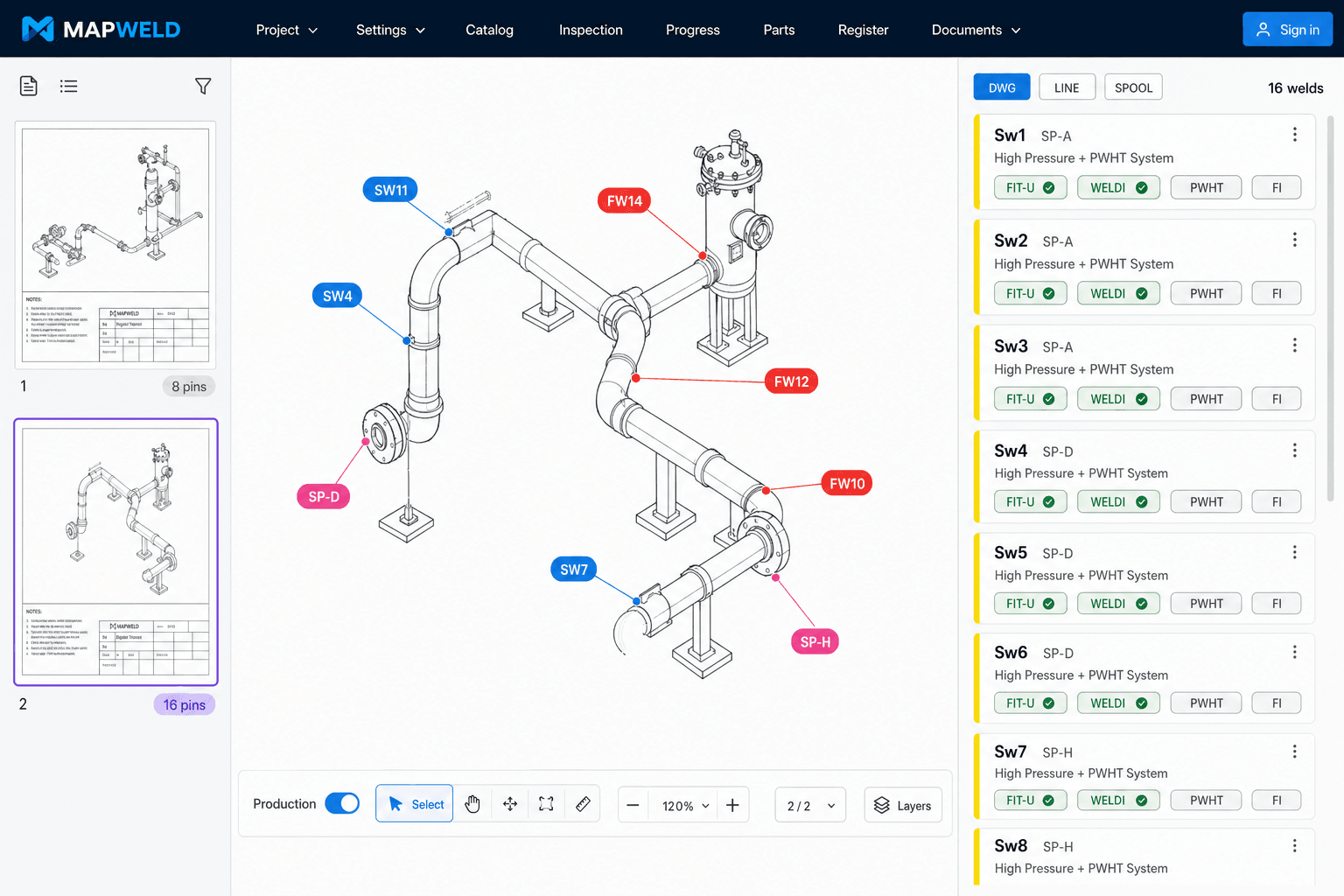
The total time from "load the first drawing" to "have a working documentation system" is under an hour. For a fabrication team starting a new project and not wanting to spend the first week on system setup, that is the relevant number.
When to consider more
MapWeld covers weld documentation, NDT tracking, repair lineage, parts BOM, heat/MTC linkage, and Excel exports for most small-to-mid fabrication projects. If your project involves:
- Complex multi-site coordination with concurrent document control teams and mandatory server-side revision control
- Full EPC integration with procurement, ERP, and enterprise document management systems (AVEVA, Meridian, etc.)
...then a dedicated enterprise platform may still be appropriate, and the overhead is justified for that integration depth.
For everything that fits inside "weld documentation for a fabrication project" — tracking welds on isometrics, managing NDT, maintaining traceability, scaling quantities for estimates, and producing structured register/BOM exports — MapWeld handles it without the enterprise footprint. See also using MapWeld for piping survey and tender takeoffs.
Getting started
MapWeld is in early access, runs in the browser, and requires no installation to evaluate.
Try it on one drawing — free, no account needed →
If you are evaluating it for a specific project and have questions about how it handles your documentation requirements, email hello@mapweld.app.